
The complete guide
How the Philips 600 Series reads your air and adjusts itself
Most people buy an air purifier, plug it in, and then never think about it again, which means they never really know if it is doing anything. The Philips 600 Series AC0651 is built around a different idea: a sensor inside the unit that keeps reading the room and tells you, in real numbers, whether the air is actually getting cleaner. This guide looks at what that smart sensor does, why an automatic fan speed matters more than it sounds, and how to get the most from it in a real home.
What the smart sensor is actually measuring
Inside the AC0651 sits an AeraSense sensor, which continuously samples the surrounding air and reports back on a scale you can see either on the unit's own digital display or through the Air+ app. Rather than running blind at whatever speed you last set, the purifier can use that reading to decide how hard it needs to work. If the room is clean, it eases off. If something changes, cooking, a door left open, a dusty afternoon, it can pick that up and respond.
This matters because most of the time a purifier does not need to run flat out. Running a fan at full power around the clock wastes energy and adds unnecessary noise, and it is also just unnecessary once the room air quality has settled. A sensor-driven purifier spends most of its life working quietly in the background and only ramps up when there is genuinely something to clear.
Why automatic fan speed beats guessing
Without a sensor, choosing a fan speed is a guess. Too low, and a burst of dust or pollen sits in the room for longer than it needs to. Too high, and you are paying for noise and power you did not need. The AC0651's automatic mode removes that guesswork; the purifier ramps its speed to match what the AeraSense sensor detects, so you get faster clearing exactly when it is needed and a quieter, lower-power idle the rest of the time.
That balance is also what makes the quoted CADR figure meaningful in practice. Philips rates the AC0651 at 170 m3/h, enough to clear a 44m² room in under 17 minutes at full output. In auto mode, that full-speed clearing kicks in automatically when the sensor detects a spike, rather than only happening if you remember to turn the dial up yourself.
Reading the display and the app
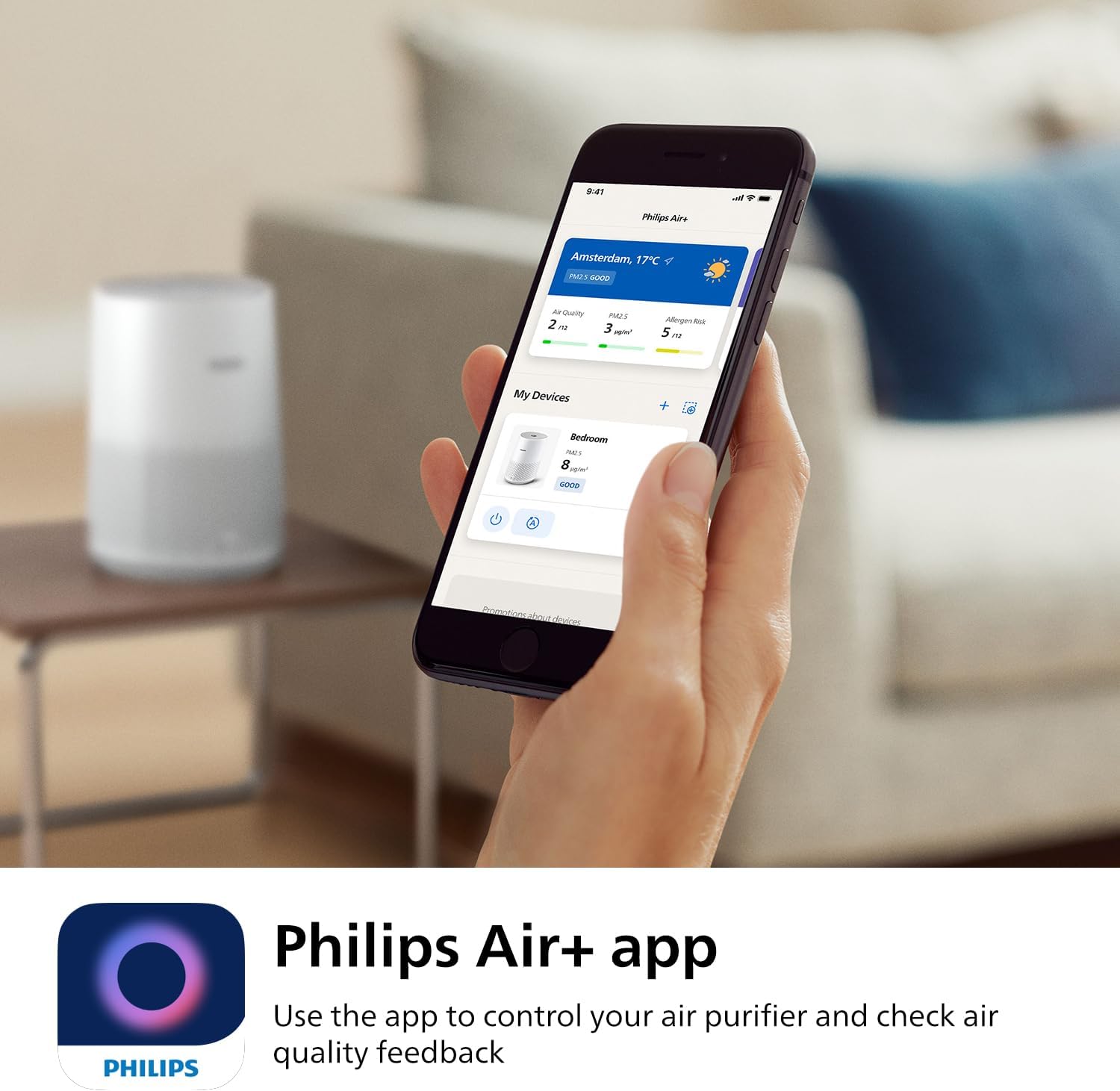
The on-device display gives you a quick glance reading without needing your phone, which is useful if the purifier sits somewhere you pass regularly, a hallway, a kitchen, a living room. The Air+ app extends that to your phone, so you can check conditions from another room or while you are out, provided the unit is connected. Neither is strictly necessary to use the purifier well, but together they turn a purifier from a black box into something you can actually monitor.
For anyone managing allergies, pet dander or general dust sensitivity, that visibility is arguably as valuable as the filtration itself. Knowing that the air quality reading has dropped after cleaning, cooking or having guests round gives you a concrete signal, rather than relying on how the room "feels."
Setting it up for a smart-sensor purifier
Give the AC0651 clear space to draw air in and push it back out; tucking it into a corner or behind furniture blocks the sensor's readings as much as the airflow itself. Placing it somewhere central to where you spend time, rather than in a rarely used corner, means the sensor is reading air you actually breathe.
Leave it on auto mode to start with and watch how it behaves over a few days. Most households find it settles into a rhythm: quiet most of the time, briefly louder after cooking, cleaning, or when someone comes in from outside. If you prefer, you can override auto mode and pick a fixed speed, but the automatic behaviour is where the smart sensor earns its keep.
Keeping it running well
Filter care matters regardless of how smart the sensor is. A NanoProtect HEPA filter that is overdue for replacement will restrict airflow and reduce how effectively the unit can respond to what the sensor detects. Check the display or app for the filter status indicator and follow Philips' guidance on replacement timing for this model, rather than waiting until performance visibly drops. Wipe the outer casing occasionally with a dry cloth, and keep the unit away from moisture.
Who this suits
A sensor-driven purifier like this suits anyone who wants ongoing feedback rather than a fire-and-forget appliance: people managing allergies who want to see the effect of a HEPA filter in real numbers, households with pets where dander levels fluctuate through the day, or anyone who would simply rather not have to remember to adjust a fan speed manually.
The short version
The AeraSense sensor is the whole point of this model: it reads the room and lets the purifier speed up or slow down automatically instead of running on a fixed setting you have to manage. Give it clear space, leave it on auto, check the display or app when you want a number, and keep the filter on schedule. The rest takes care of itself.